
There are two problems with measuring conversions from organic traffic.
First, modern conversion paths are complex. Before ordering something, people consult ChatGPT, search for reviews and alternatives, then postpone the purchase till Black Friday, only to finally be swayed by a discount offer on Instagram. Increasingly stricter privacy laws don’t make the tracking and analytics any easier. As a result, it is difficult to link a specific marketing effort with sales.
Second, the most popular web statistic service — Google Analytics 4 — has an interface clearly designed for aliens from Alpha Centauri, not humans. If you are not a seasoned analyst, but a business owner with the usual myriad of responsibilities, you risk getting lost in the reports.
The solution: Key events report with Data Driven Attribution (DDA)
Google Analytics 4 has Data Driven Attribution (DDA) which uses machine learning to determine how much credit each channel should get for acquiring a lead. It assigns partial credit to each touch, but most of it goes to the channel that does the heavy lifting.
We still won’t get 100% certainty about which marketing effort brought us the particular client; it’s just not possible. But DDA solves the complexity of attribution as well as a modern web analytics system can, so we can stick with it instead of arguing whether SEO should get credit for the first or the last click. All models are wrong, but some are useful.
Setting up the report
You can track leads in GA4 with Key events1, which are the direct descendants of goals in good old Universal Analytics. Here is the simplest path2:
Go to the Explore tab (on the same level as Reports)
Create a Blank exploration
Add Source/medium (From Attribution) and Event name (from Event) to Dimensions, Key events to Metrics, drag Source/medium to Row, Key events to Values and Event name to Filters.
Set the filter “Event name” to “exactly matches” your Key event name (like “Inquiry submitted”).
Here is how it should look:
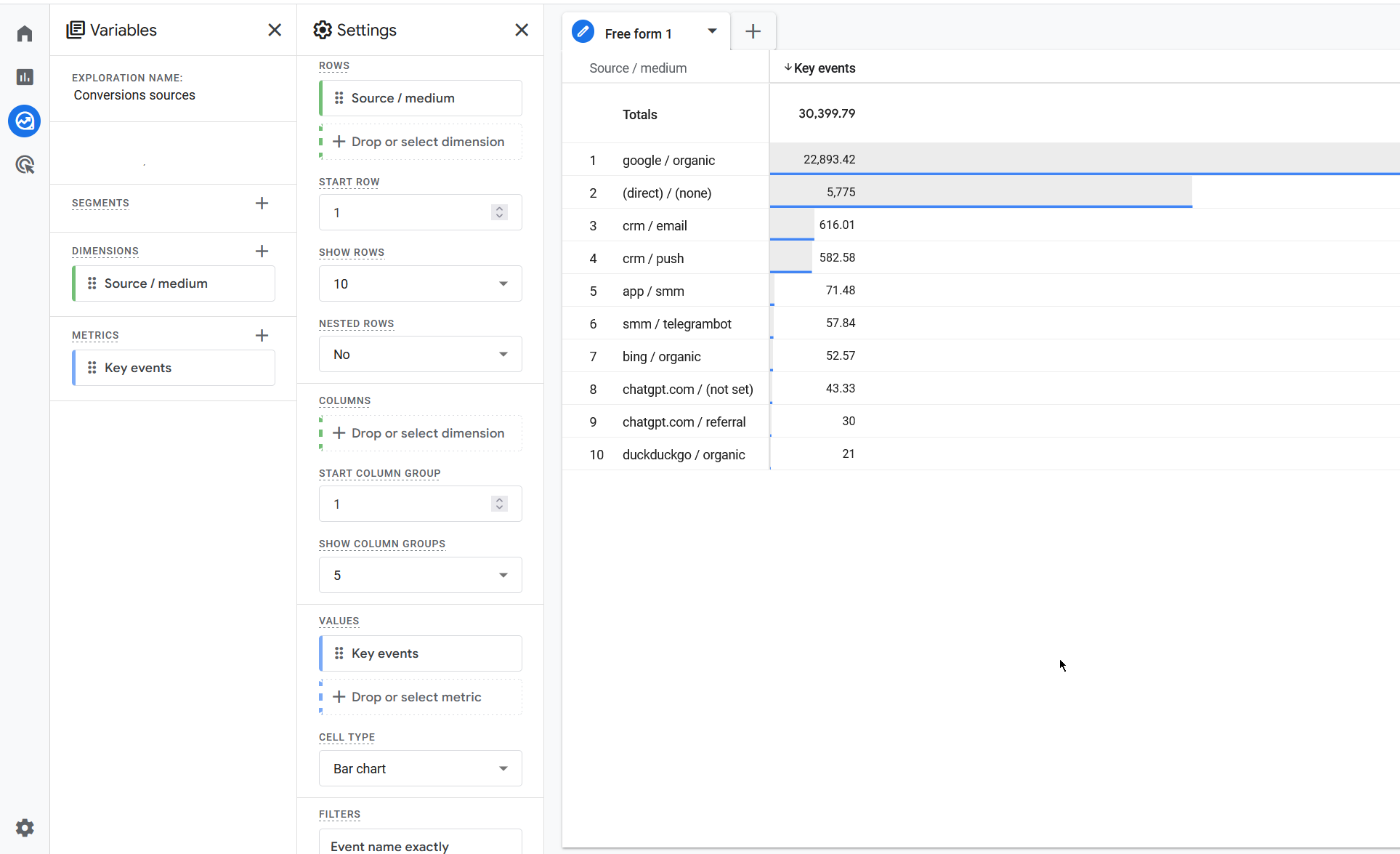
You can save this “Exploration” and quickly access it in the future.
Now we have the data. Key events values should have decimals — a sign that our attribution model is really DDA. To get the final number of leads associated with organic traffic, we need to export the report:
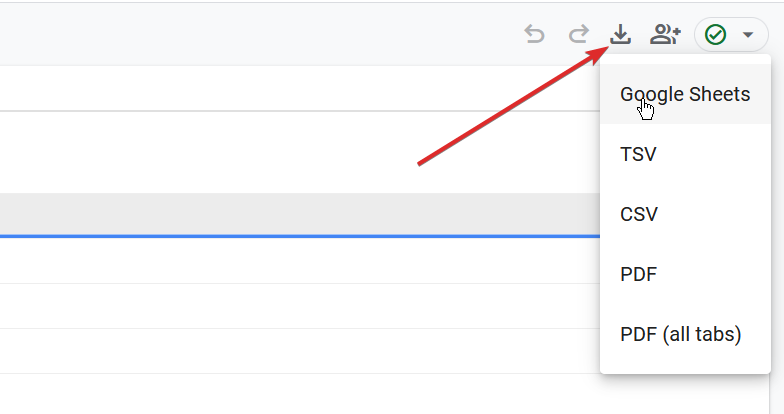
In this spreadsheet we should combine all key events from all the sources which we try to affect with SEO & GEO. It is not only “google / organic”. And not even just all “organic”. Google can classify traffic from chatbots or foreign search engines, like Yandex, as referral.
You need to sum all sources which are related to search or AI answers because efforts to boost visibility in LLM also impact traditional SEO and vice versa.
To speed up the process, I created a free online tool that does this summarization with a couple of clicks. Just upload the CSV export file from GA4. The tool will combine Source/medium by category automatically:
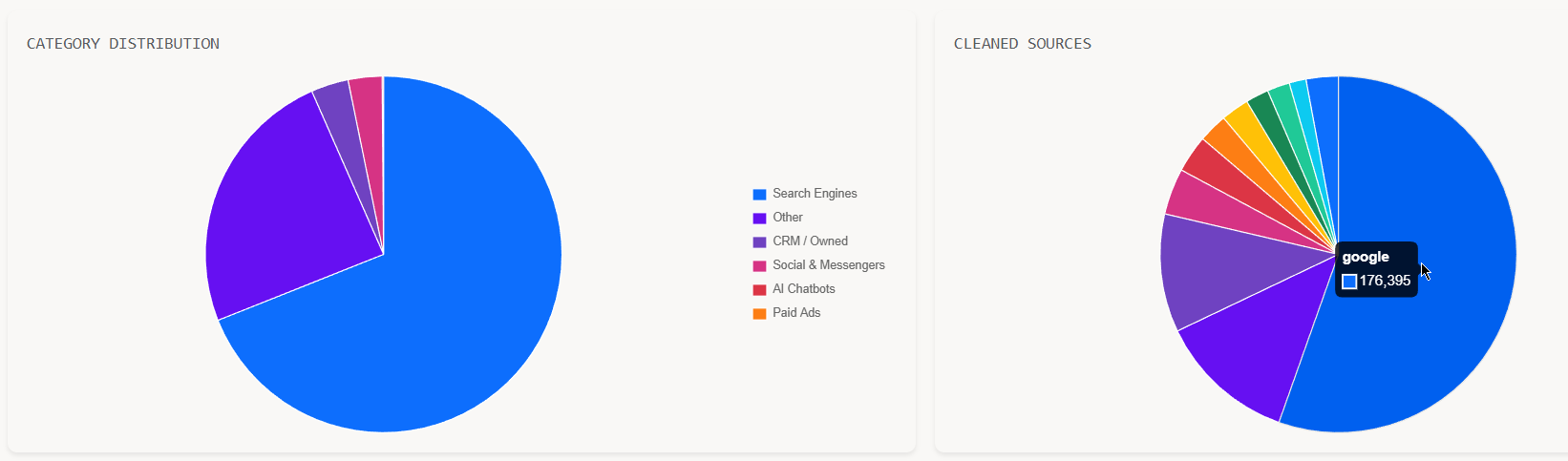
All you need to do is combine the categories Search Engines and AI Chatbots.
Understanding the results
What is the real-world meaning of the number we get by combining key events for each source in a messy export file?
It is the number of conversions we got from search engines and chatbots according to Google Data Driven Attribution.
If our final goal (as it should be) is to assess SEO&GEO efforts and link them to financial results, we need to ask two important questions:
How much do we trust Data Driven Attribution? We can compare the number from DDA with first-click and last-click results3. For simple user paths (for example, on affiliate websites) the difference between attribution models is usually less than 10%. In that case DDA is quite reliable. The greater the distinction, the more uncertainty in DDA we face. If the difference is around 30%, we are forced to think in probabilities and assess scenarios where the final number of leads is higher or lower.
What part of search-driven conversions is due to SEO effort, not intrinsic search traffic? In my previous article I argued that SEO work and budgets should be divided between basic optimization and active search marketing. So in terms of ROI we have to measure only active part (“hunting“). I will write a separate article on how to do that.
With these two clarifications you will have an unbiased assessment of how many leads you are actually getting from SEO&GEO. Every marketing specialist or agency is heavily incentivized to attribute a lion’s share of leads to the channel they work with and thus grab the credit for sales success. Data complexity allows everyone to find a way to justify this. That is why it is so important for founders and managers to be able to make their own judgements.
This report gives you the foundation. If you want to go deeper by isolating brand traffic, assessing CAC or finding highest-ROI SEO moves for your project, schedule a call with me and we'll find a way to get things done.
To create a Key event, you need to go to Admin — Data display — Events. Don’t forget to mark the new event as Key event with the star.
Besides Events, GA4 has Monetization group of reports which gives more detailed view of user’s purchases on your site. In this article I am focusing on a more universal approach. Key events can be created without touching code and used for every type of online business, from a small blog tracking subscribers to a sophisticated SaaS.
The most intuitive way to get a report of organic conversions is of course to go to Events tab and add the filters by the specific event and marketing channel:
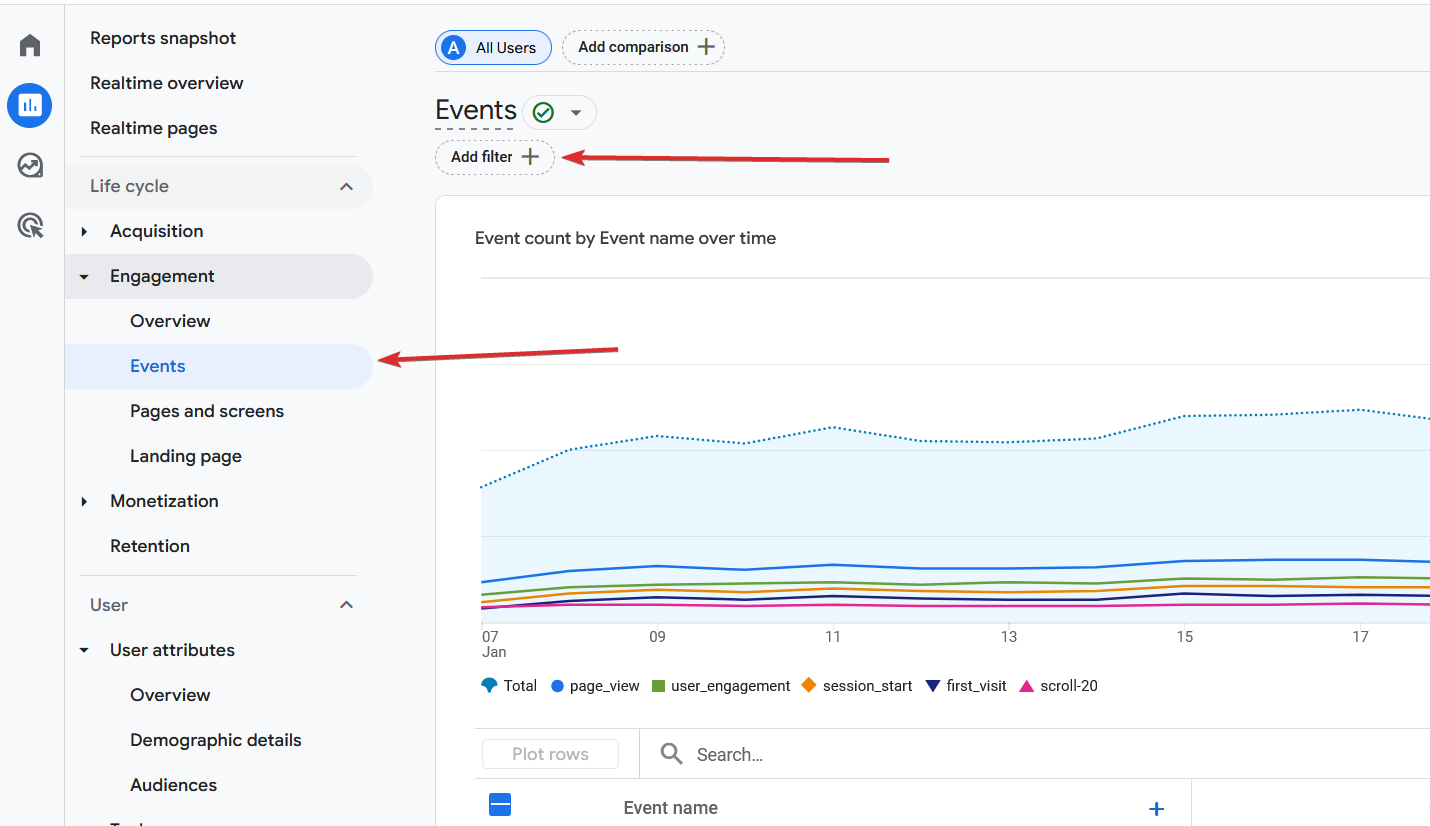
But when we try to assign a filter, we notice that we cannot filter by channel with DDA. Only by:
Traffic source (works on the session level → forces us to the last-click attribution).
First user source (works on the user level → forces us to the first-click attribution).
No machine learning magic which we need to make an estimation of the real value of SEO.
See the “aliens from Alpha Centauri” logic here? GA4 makes a cool feature, which solves a real problem and then just hides it so you need a tutorial like this to make sense of the reports.
Quirks like this are one of the reasons why BigQuery, not the GA interface is the de-facto standard when we talk about any serious analytics, but if we want just to get the number of SEO leads, it is overkill, so we use Explorations.
The reports are easy to build in the same custom Exploration. Use First user source/medium for the first-click attribution and Session source/medium for the last-click attribution.